Tutoring CRM: What Should a Tutoring Business Actually Track?

Tutoring CRM: What Should a Tutoring Business Actually Track?
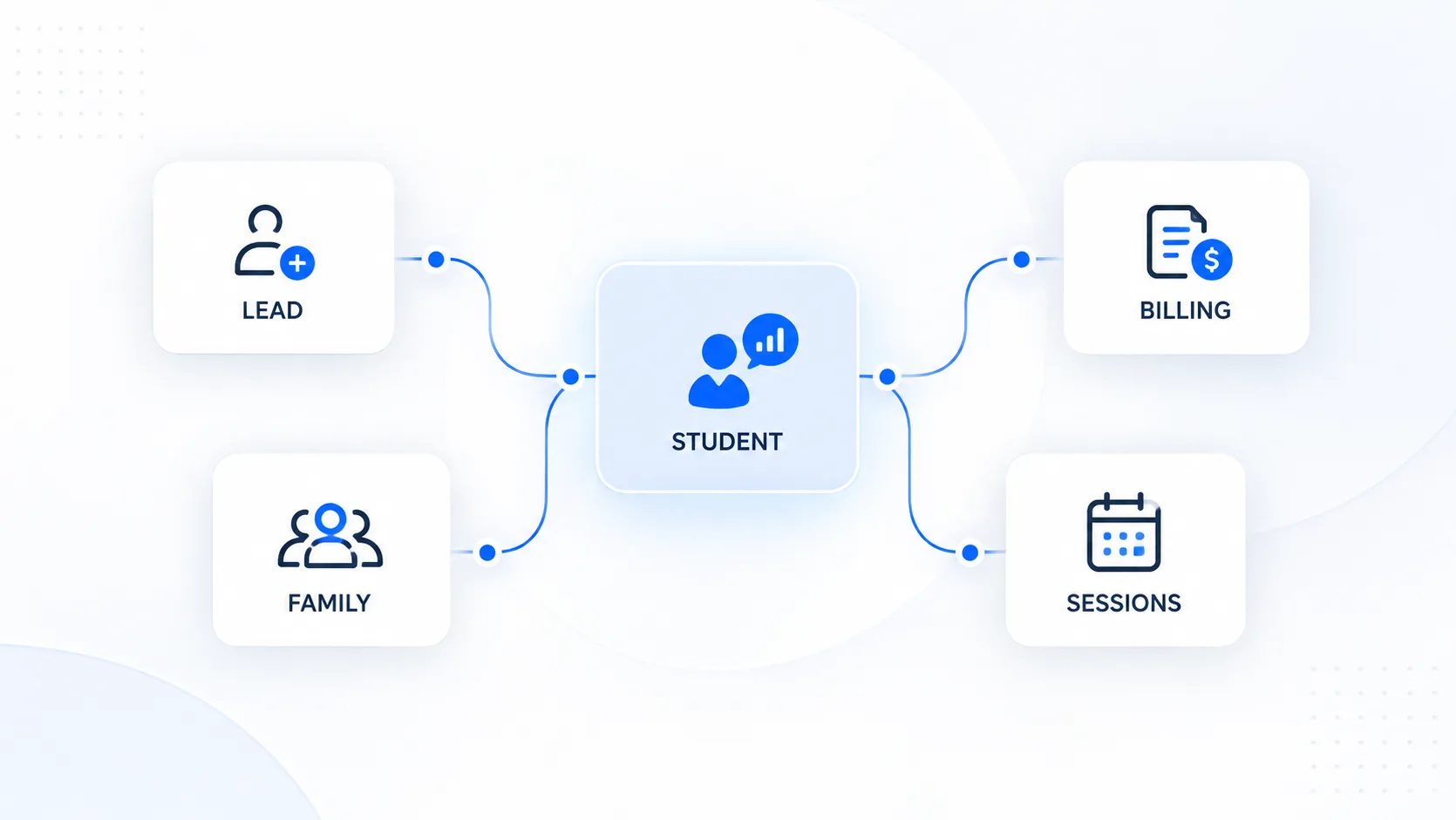
Quick answer: A tutoring CRM should track enough context to answer five questions quickly: Where did this family come from? What do they need? What has happened so far? What should happen next? And what academic or operational information will matter later? That usually means a connected record for the lead, family, student, sessions, progress, follow-ups, and relevant billing context—not hundreds of fields. |
The mistake is treating a CRM as an address book. For a tutoring business, the useful unit is not simply a contact. It is a relationship that changes over time: an enquiry becomes a consultation, a consultation becomes a student, a student accumulates sessions and assessment data, and the family eventually renews, pauses, refers someone, or leaves.
That is why a tutoring CRM should sit inside the broader operating system of the business rather than becoming another isolated database. Evallo’s guide on how to run a tutoring business makes the same operational point: once student information, scheduling, communication, billing, and progress live in different places, visibility gets harder as the team grows.
What Is a Tutoring CRM?
A tutoring CRM is a system for organizing the people, relationships, history, and next actions around a tutoring business. Unlike a generic sales CRM, it has to remain useful after enrollment. The family may stop being a sales lead, but the relationship continues through tutoring sessions, academic goals, parent communication, progress reviews, billing, and renewal decisions.
In practical terms, the CRM should preserve the minimum useful context across the full lifecycle—from first enquiry to active student to alumni or former client.
The 7 Things a Tutoring CRM Should Track
Record | Useful fields | Decision it supports |
|---|---|---|
1. Lead | Source, enquiry date, service interest, stage, owner, next follow-up | Which opportunities need action, and which channels create qualified enquiries? |
2. Family | Parent/guardian contacts, preferred channel, relationship to student, communication history | Who should the team communicate with, and what context should carry across staff? |
3. Student | Grade, school, subjects/tests, goals, target dates, relevant learning context | What is the tutoring engagement trying to accomplish? |
4. Sessions | Tutor, service, date, attendance status, notes, next action | What has actually been delivered and what needs follow-up? |
5. Progress | Baseline, assessments, score/skill trends, milestones, recurring gaps | Is the student improving, and what should instruction change? |
6. Commercial context | Service/rate/package, balance or invoice context, renewal date | What operational or renewal context affects the relationship? |
7. Lifecycle | Active/paused/former, reason, referral source, renewal/referral outcome | Why do families stay, leave, return, or refer? |
1. Track Lead Source and the Next Action—not Just Contact Details
For every enquiry, capture where it came from, what service the family is asking about, the current stage, who owns the relationship, and the next action with a date. A lead without a next action is usually just a name sitting in a database.
Lead source is especially useful because it connects marketing activity with enrollment quality. Website enquiry, referral, school counselor, partner, webinar, organic search, paid search, social media, and returning family should not all be collapsed into “other.” Over time, source data helps a tutoring business distinguish channels that generate volume from channels that generate students who actually enroll and stay.
A simple tutoring lead pipeline
New enquiry
Contacted
Consultation / diagnostic booked
Proposal or plan shared
Decision pending
Enrolled
Closed / not proceeding
Keep the pipeline short enough that staff will actually use it. If nobody can explain the difference between two stages, merge them.
2. Keep the Family and Student Records Connected—but Distinct
Tutoring has an unusual customer structure: the person receiving the service and the person making the buying or scheduling decision are often different people. That means a single flat contact record is rarely enough.
The student record should carry academic context. The parent or guardian record should carry contact and relationship context. Connect them so the team can see the family without duplicating data.
This also matters for privacy. The FTC’s COPPA guidance explains that online services directed to children under 13, or services with actual knowledge that they are collecting personal information from children under 13, can have specific notice and verifiable parental-consent obligations. Whether COPPA applies depends on how your tutoring business and technology collect data, so treat this as a compliance flag rather than a one-size-fits-all rule.
3. Track the Student’s Goal in a Way a Tutor Can Use
“Improve math” is not a useful CRM field. Good goals have enough specificity to guide the next instructional decision: raise an SAT Math score from a recent baseline toward a target by a particular test date; improve Algebra II performance before the next grading period; complete a defined set of prerequisite skills before calculus; or prepare for an entrance exam with a fixed administration date.
Useful student context may include grade, school, subject or test, baseline, target, relevant dates, assigned tutor, learning priorities, and a short current-plan note. Avoid turning the CRM into a permanent repository for every sensitive detail a family has ever mentioned. Collect what is necessary, useful, and appropriate for the service.
4. Connect Session History to the Student Record
The CRM should make it possible to answer basic questions without asking the tutor from memory: When was the last session? What happened? Was the student present? What did the tutor recommend next? Is another session already scheduled?
This is where a connected tutoring calendar and session workflow becomes more valuable than a standalone appointment book. Session records can become part of the student’s operating history rather than disappearing after the calendar event ends.
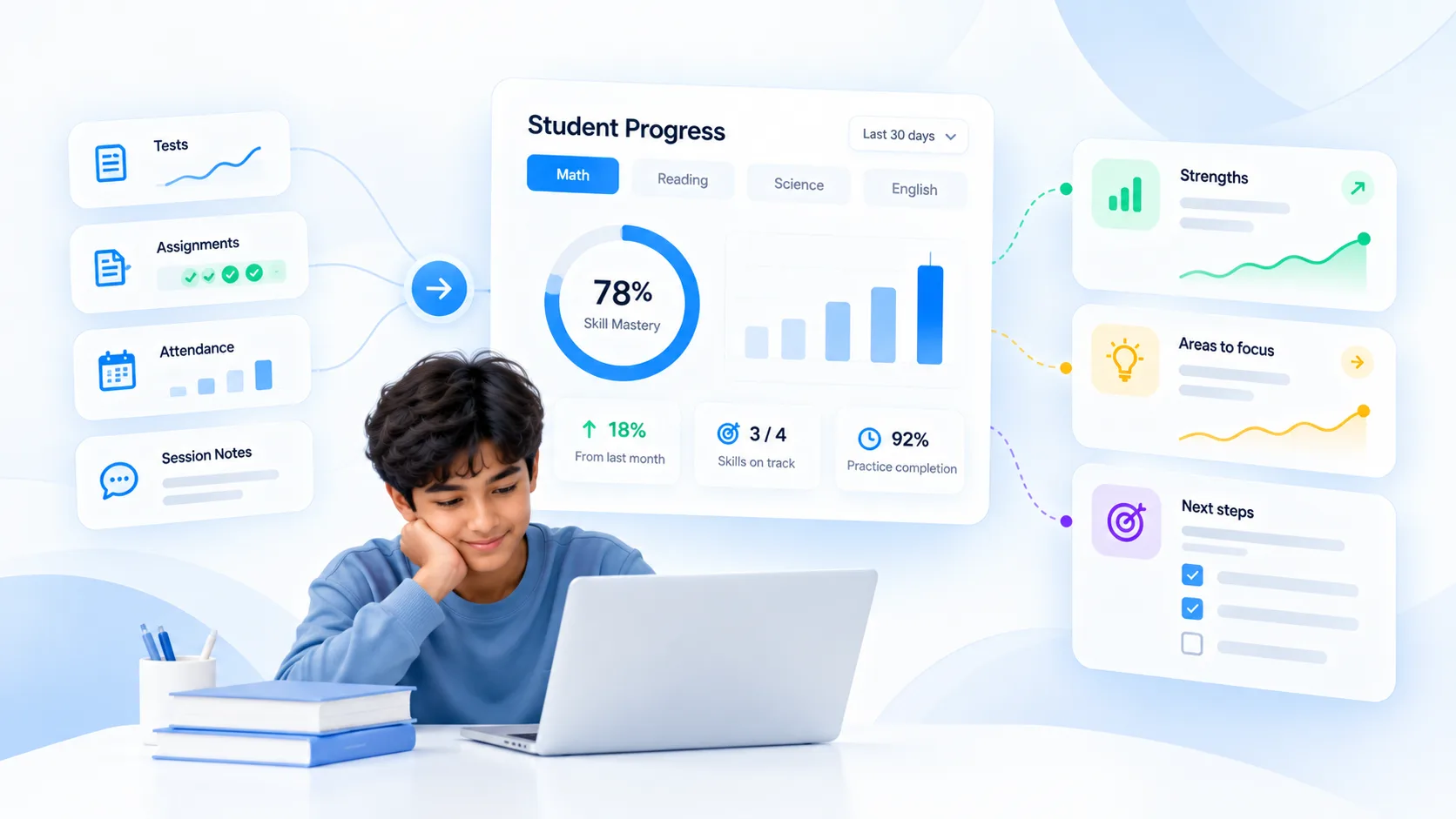
5. Track Progress Signals, Not Just Notes
Narrative notes matter, but a tutoring business also needs structured progress signals that can be compared over time. Depending on the service, that might be assessment scores, accuracy by skill, assignment completion, pacing, school grades, milestone completion, or tutor-defined mastery indicators.
For test-prep businesses, Prepwork’s reporting and progress-tracking workflow is an example of the type of data that becomes useful when assessments feed a student history: section performance, question-level patterns, accuracy, pacing, and cumulative trends.
The point is not to measure everything. Track the signals that can change instruction or explain progress to the family.
Why Progress Data Belongs in the CRM Conversation
Tutoring is not a niche edge case in education delivery. NCES reported that 78% of U.S. public schools had provided some type of tutoring as of October 2024, while 37% reported high-dosage tutoring. In May 2024, 46% of public schools reported providing high-dosage tutoring, and about half of schools providing it rated it “very” or “extremely” effective.
Those figures describe public-school programs rather than private tutoring businesses, so they should not be used as a private-market conversion claim. They do show how significant tutoring has become as an instructional intervention. See the NCES October 2024 tutoring data and the agency’s May 2024 tutoring effectiveness release.
For a private tutoring business, the practical implication is straightforward: if you claim personalized instruction, your system should preserve enough evidence to understand what was taught, what changed, and what should happen next.
6. Keep Billing Context Visible Without Turning the CRM Into Accounting Software
A tutor or administrator often needs commercial context while speaking with a family: which service or package they use, whether hours remain, whether an invoice is outstanding, when a package renews, or whether a credit exists. That does not mean every payment detail belongs inside the CRM.
The cleaner model is connected records. Evallo’s invoicing workflows illustrate the operational principle: billing can use service and session data while the CRM retains the relationship context. Avoid storing raw card information or unnecessary financial data in notes.
7. Track Why Families Stay, Leave, Return, and Refer
A tutoring CRM becomes strategically useful when it captures lifecycle outcomes. When a family pauses or leaves, record a simple reason: goal achieved, schedule conflict, price, tutor fit, moved away, switched service, unresponsive, or another meaningful category. When they renew, return, or refer another family, record that too.
This gives the business a much better retention picture than an “active/inactive” toggle. Over time, the patterns can reveal whether churn is mostly expected completion, operational friction, price sensitivity, tutor matching, or something else.
What Not to Put in a Tutoring CRM
Passwords, security answers, or authentication secrets.
Raw payment-card details or sensitive financial information that belongs with a compliant payment processor.
Sensitive personal information collected merely because it might be useful someday.
Unstructured staff opinions that would be inappropriate or misleading if read by the family.
Duplicate academic data that already has a reliable system of record.
Fields nobody uses to make a decision, trigger a workflow, or preserve necessary context.
For U.S. businesses working directly with schools or receiving education records from schools, the U.S. Df Education’epartment os FERPA guidance is the appropriate starting point for understanding federal student-record privacy requirements. Applicability depends on the relationship and data flow; private tutoring businesses should not casually label themselves “FERPA compliant” without understanding whether and how the law applies.
A Practical Minimum-Viable Tutoring CRM
If you are building the system from scratch, start with the fields below and add complexity only when the business has a real operational reason.
Lead: source, enquiry date, service interest, stage, owner, next follow-up.
Family: parent/guardian name, contact details, preferred communication channel, linked students.
Student: grade, school, subject/test, baseline, goal, target date, assigned tutor.
Service: tutoring type, rate/package, start date, expected cadence.
Sessions: last session, attendance status, concise note, next scheduled session.
Progress: latest meaningful assessment or milestone and trend.
Lifecycle: active/paused/former, renewal date or review date, outcome/reason.
If a field does not help someone follow up, teach, communicate, bill, protect data, or make a business decision, question why you are collecting it.
How a Tutoring CRM Should Work With the Rest of Your Stack
The best CRM architecture avoids duplicate entry. A lead should become a family and student without retyping the same information. A booked session should appear in the student history. An assessment should update progress context. A completed session should be available to the billing workflow. A renewal conversation should happen with the academic and commercial history visible.
That connected model is the same idea behind a digital tutoring ecosystem: the value comes less from having many tools than from preserving context as work moves between them.
FAQ: Tutoring CRM
What is the best CRM for a tutoring business?
The best CRM is the one that matches your operating model. At minimum, it should connect leads, family/student records, follow-ups, session context, progress, and lifecycle information without forcing duplicate data entry.
Can I use a generic CRM for tutoring?
Yes, especially for lead management. The limitation appears after enrollment: generic CRMs often need customization or integrations to represent students, guardians, tutors, sessions, academic progress, packages, and tutoring-specific workflows.
What should tutors record after each session?
Keep it concise and useful: attendance status, what was covered, a meaningful progress or difficulty signal, assigned work if relevant, and the next action. Avoid turning every session note into a long narrative nobody reviews.
Should a tutoring CRM include student progress?
It should at least make progress context visible or link cleanly to the system that owns assessment data. Progress is central to the tutoring relationship and to parent communication.
How many CRM fields should a tutoring business have?
There is no ideal number. Start with the minimum fields required to support follow-up, instruction, communication, operations, and lifecycle analysis. Add a field only when someone can explain how it will be used.
Bottom Line
A tutoring CRM should not become a warehouse of everything your business knows. It should preserve the context your team repeatedly needs. Track the lead and next action, connect the family to the student, define the academic goal, preserve session and progress history, keep relevant commercial context visible, and record lifecycle outcomes. The useful CRM is the one that helps the next person make the next good decision.
Other Stories