Evallo makes it easy to add and manage your payment methods securely. Here’s a step-by-step walkthrough to help you stay in control of your subscription billing.
Accessing Payment Methods
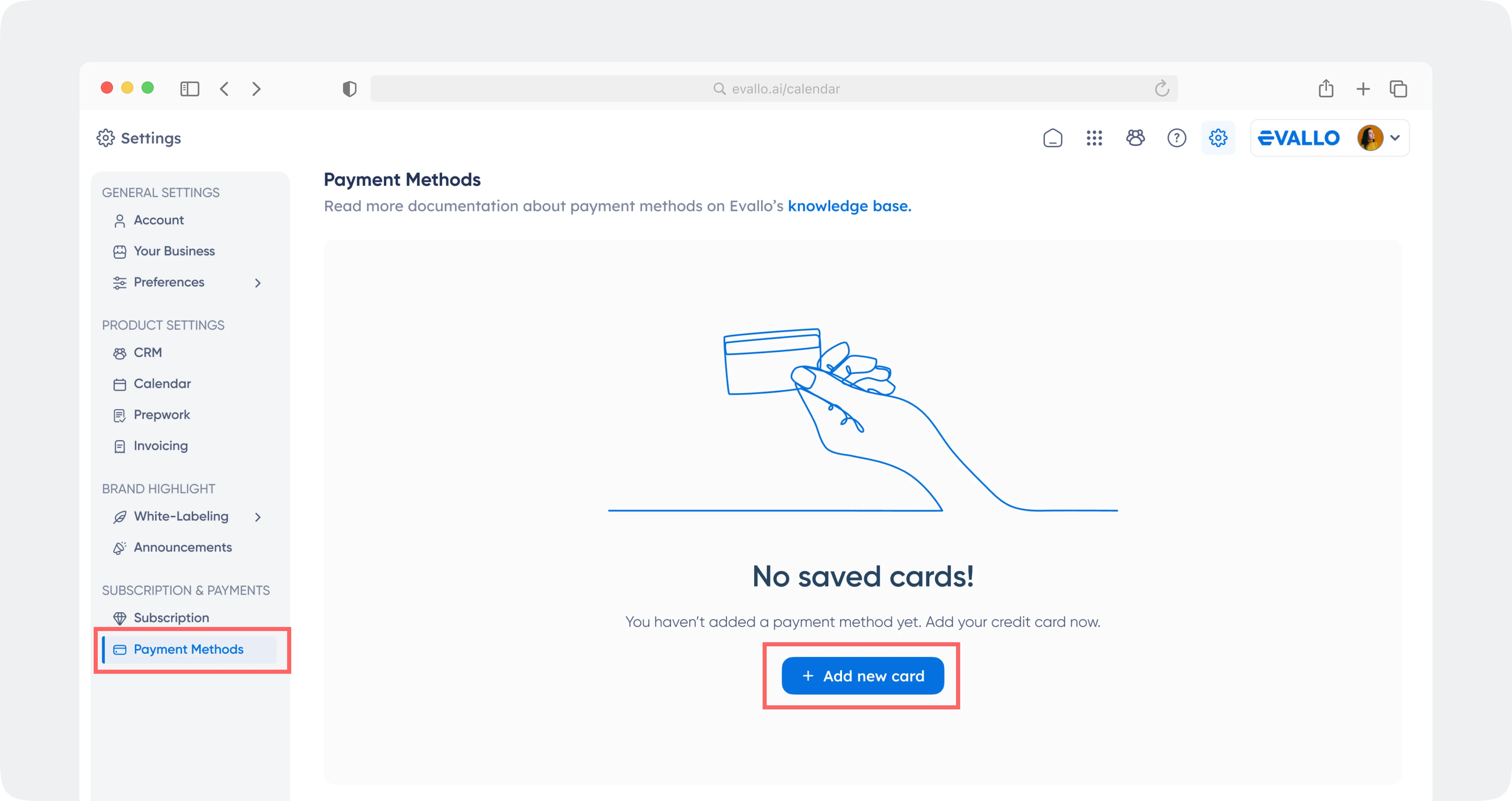
Go to: Settings → Subscription & Payment → Manage Subscription → Payment Methods
Here, you’ll see a list of your currently saved cards. One of these cards will be set as your default card, which will be used for any automated payments (you can change this any time!).
If no cards are added yet, you’ll see an empty screen. Click Add Card to get started.
Deleting a Card
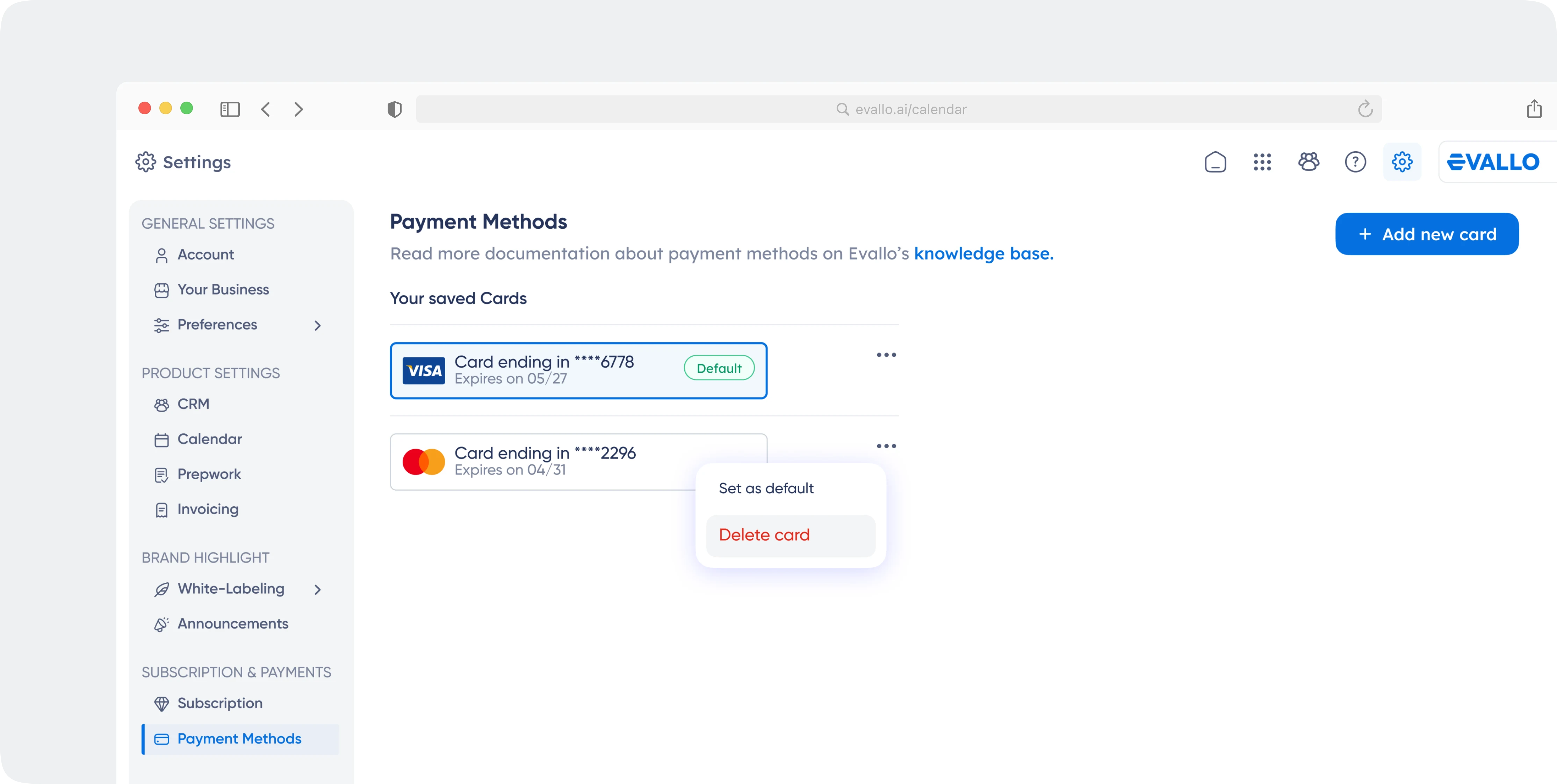
Need to remove a card?
Simply click on the three-dot menu next to a saved card and select Delete.
A confirmation message will appear. Click Delete to confirm or Cancel if you change your mind.
Note: You must have at least one active card if you have an ongoing subscription.
Switching Between Cards
Want to change your default payment method?
Just select an existing card (or add a new one) and select Set as Default from the menu. Your future payments will be charged to the new payment method.
Safe & Secure
Your payment details are encrypted and processed via trusted third-party gateways. We never store your raw card information.
Final Thoughts
With Evallo, you’re always in control. Whether you're a tutoring business, school admin, or educational consultant, managing billing shouldn't be a hassle. This walkthrough ensures you're never more than a click away from full control over your payment methods.

Was this article helpful?
Yes
No