Event Requests & Bookings | Evallo Calendar
Review, manage, and approve session or consultation requests from students and parents with Evallo Calendar.

Manage events with a seamless approval process
Get notified on a new event, a cancellation or rescheduling
Review and accept/decline event requests with ease
Stay in control of your calendar at all times.
Overview
The Event Requests feature in Evallo ensures that you stay in control of your schedule while offering a convenient way for students and parents to request sessions. Since Event Requests are tied to the Booking Link, this feature is accessible only on plans that include Booking Links (Achiever and Armada Plans).
In this guide, we’ll show you how to access and manage Event Requests efficiently.
How Event Requests Work
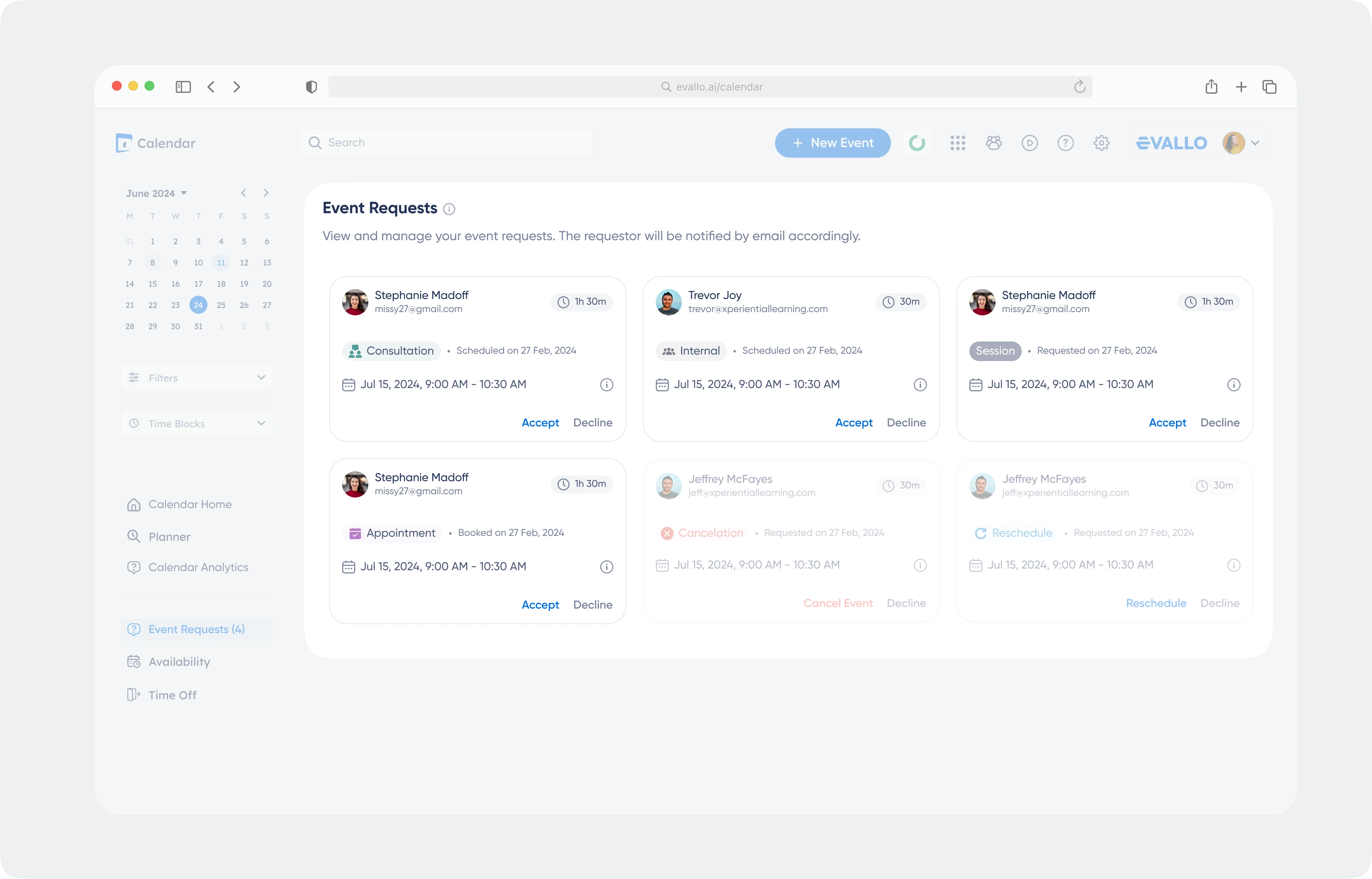
When someone books a session using your Booking Link, the request appears in the Event Requests page on your Calendar. This lets you review the details and approve or decline the session before it’s added to your schedule.
Reviewing and Approving Requests
Click on a request card to view its details.
Review the proposed time, duration, and notes provided by the requester.
Adjust the event type (e.g., Session or Consultation) and add any missing details, such as the service, topic, or location.
Click Update Event to finalize the session. It will now appear on your Calendar and notify the participants.


Was this article helpful?
Yes
No