Time Blocks for Matching Tutor & Student Availability
Use Evallo Time Blocks to identify overlapping availability and find suitable tutoring session times for tutors and students.

Structure the Day, the Smart Way
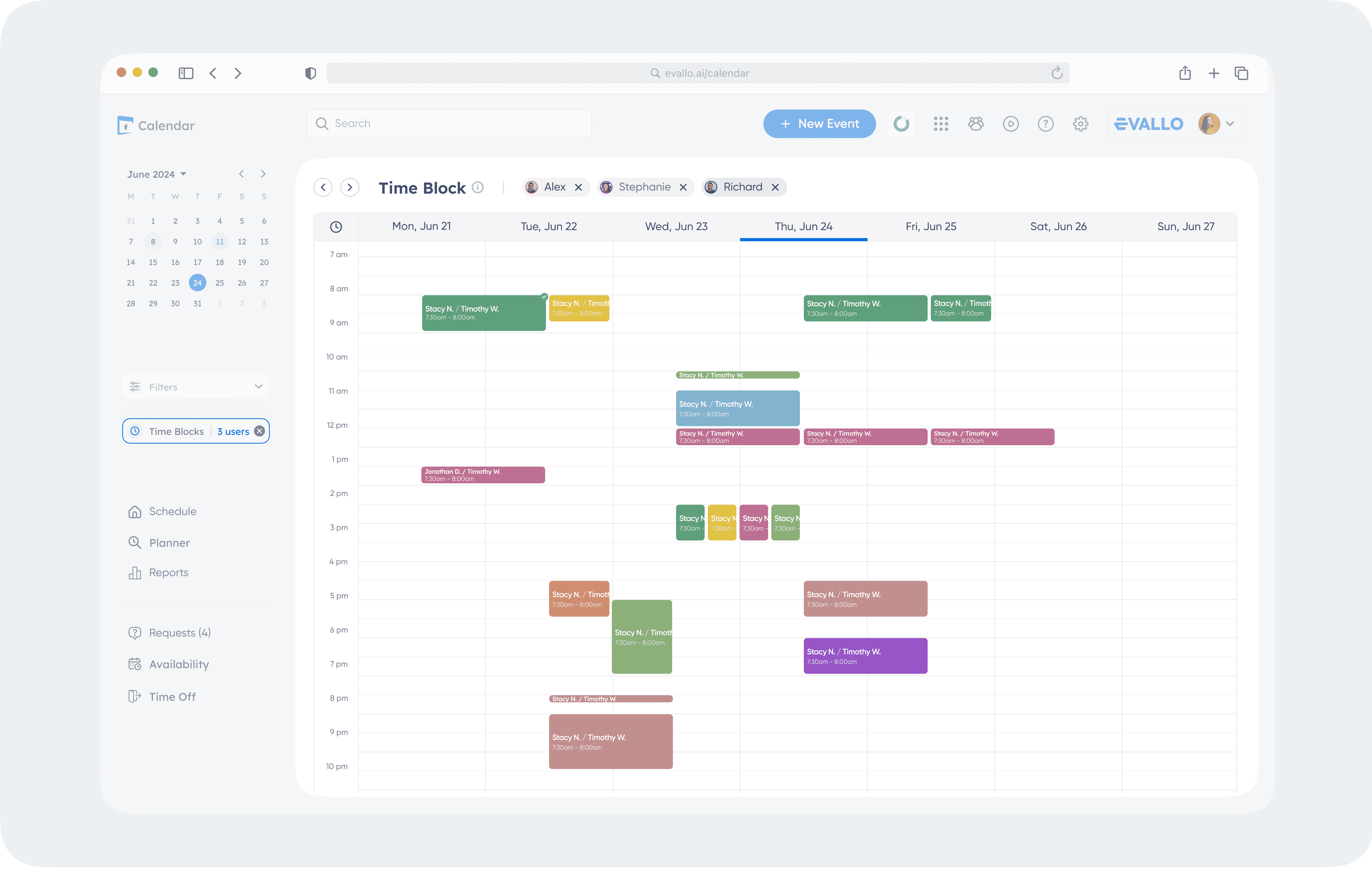
Visualize availability in colour-coded blocks.
Make quick adjustments to match tutor schedules.
Overview
Time Blocks are one of Evallo’s most powerful tools for scheduling. Whether you’re matching a student with a tutor or coordinating availability across multiple users, Time Blocks make it easy to find overlapping free time slots at a glance. In this guide, we’ll walk you through what Time Blocks are, how to use them, and how they can simplify your scheduling process.
What Are Time Blocks?
Time Blocks are a visual tool designed to help you quickly identify when users (tutors, students, parents, or admins) are mutually available. Using transparent, color-coded overlays, Time Blocks show the available time slots on the Weekly View of your Calendar.
Who Can Be Included?
You can select up to five users at a time to compare their availability.
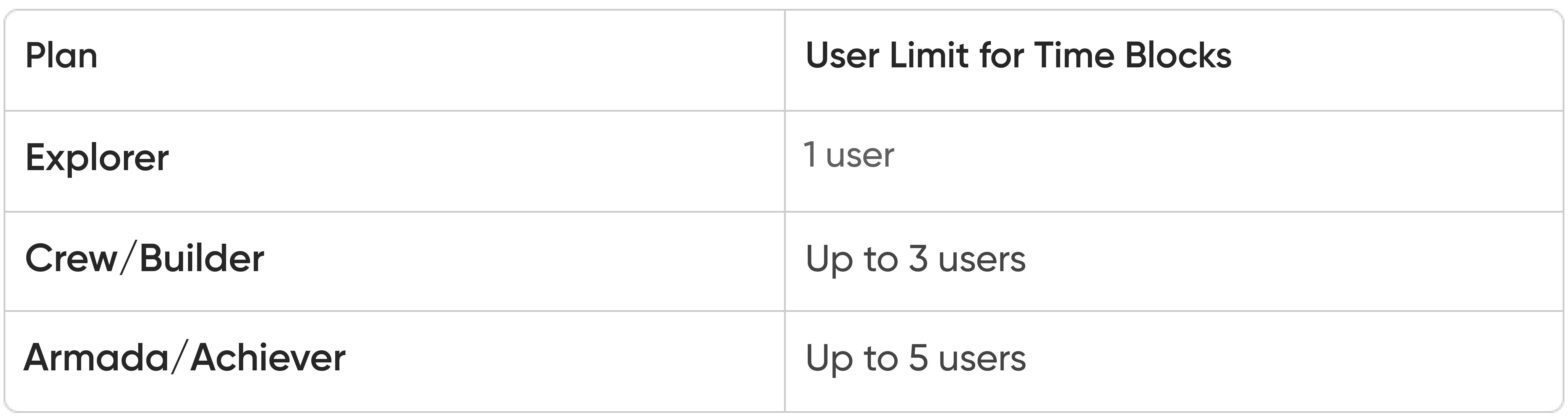
The number of users you can select depends on your subscription plan:
Explorer Plan: One user.Crew/Builder Plans: Up to three users.Armada/Achiever Plans: Up to five users.
A Step-by-Step Example
Let’s say you’re scheduling a one-to-one tutoring session between a student and a tutor. Here’s how Time Blocks make it easier:
Open the Time Blocks tool from the sidebar.
Select the student and tutor from the dropdown list.
Review the Weekly View for overlapping color blocks.
Example: Both the tutor and student are free on Wednesday from 4:00 PM to 5:00 PM.
Click on the overlapping time block to schedule the session.
Tip
Best Practices for Using Time Blocks
Update Availability Regularly:
Ensure all users have updated their working hours and time off in the Calendar.Communicate Overlapping Times:
Once overlapping availability is identified, confirm the session with all participants to avoid scheduling conflicts.Combine with Filters:
Use Calendar filters to narrow down availability based on specific services or session statuses.

Was this article helpful?
Yes
No