Find Available Time Slots with Evallo Planner
Find precise tutoring time slots by matching student and tutor availability across specific dates and times with Evallo Planner.
Smarter Scheduling Starts Here
Find available tutors for specific slots and services in seconds.
Book sessions based on real-time availability.
Overview
Evallo’s Planner is the perfect tool for pinpointing availability across specific dates and time slots. Whether you’re planning a recurring session, coordinating between multiple users, or managing consultations, Planner helps you match availability with ease. Let’s explore how to use it step by step.
What is Planner?
Planner is a powerful scheduling tool that allows you to "map" multiple users' availabilities to schedule events between them. The process is quite simple and intuitive:
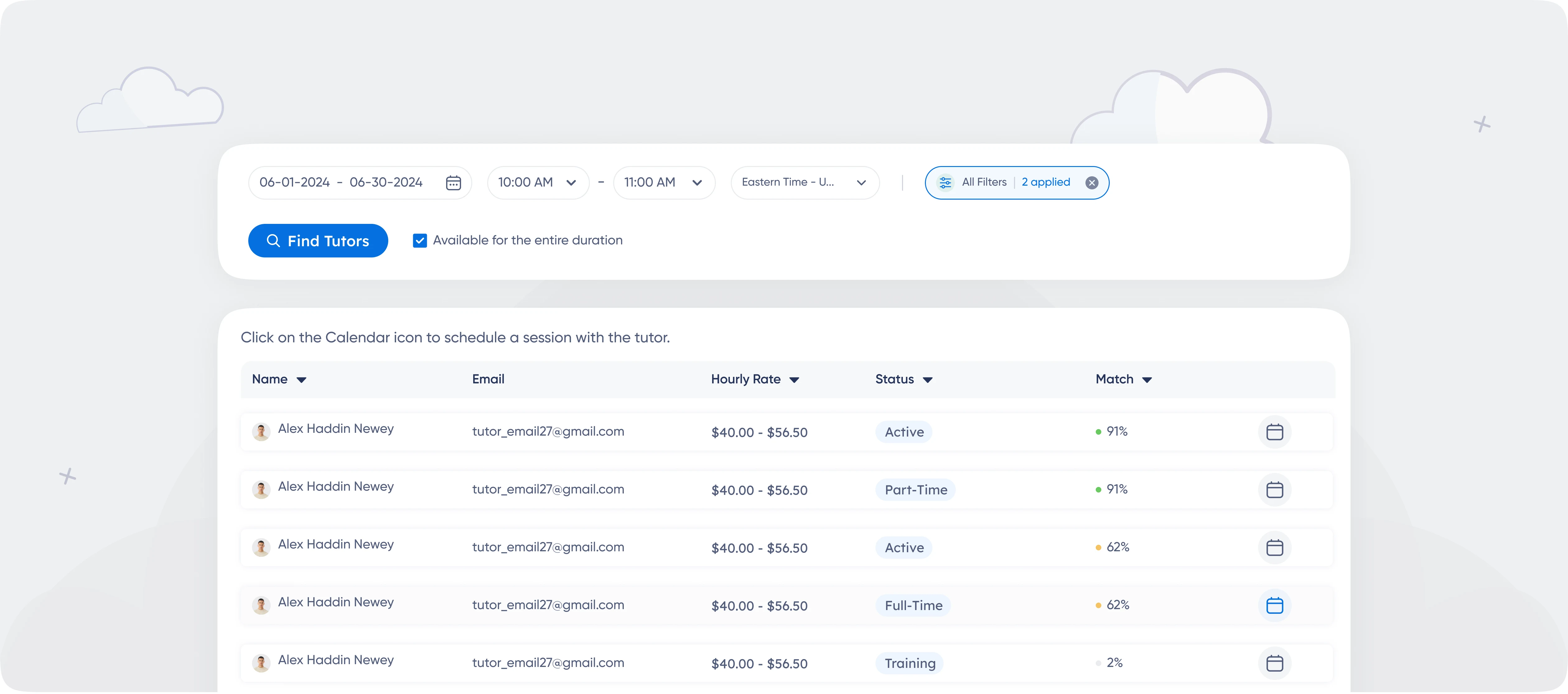
Select a specific date range (e.g., January 1st–January 15th).
Define a time slot (e.g., 10:00 AM–12:00 PM).
Identify which users—tutors, students, parents, or admins—are available during that time frame.
The tool simplifies complex scheduling scenarios, saving you hours of manual coordination.
A Step-by-Step Example
Let’s say you’re organizing a consultation between a tutor, a student, and their parent. Here’s how Planner makes it easy:
Open Planner from the sidebar.
Set the date range to January 10th–January 12th and the time slot to 4:00 PM–6:00 PM.
Select the time zone.
Review the generated lists:
The Team Members list shows available tutors.The Students list shows available students.
Choose the participants (e.g., Tutor: Alex, Student: Mia).
Click Schedule Event to create the session on the Event Details page.
Best Practices for Using Planner

Narrow Down the Date Range: Use shorter date ranges (e.g., one week) to get precise results.
Verify Availability: Ensure all participants have updated their working hours and time off.
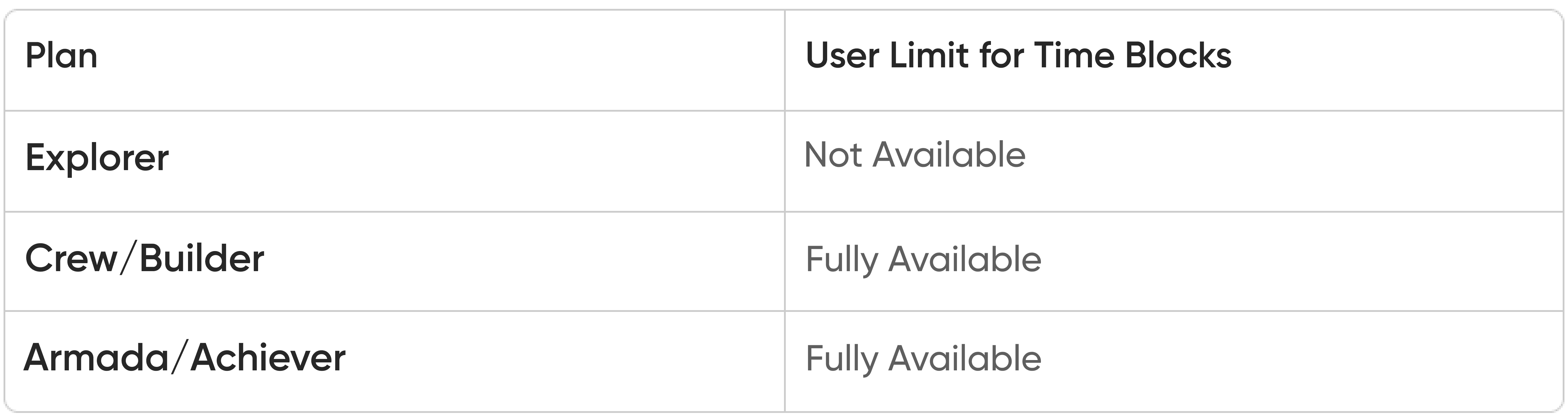
Pair with Time Blocks: Use Time Blocks for a visual overview before switching to Planner for exact time slot matching.

Was this article helpful?
Yes
No